
Install · First use · License · Font library · Uploads (Pro) · FAQ · Changelog
Install
- Upload the
siglafolder to/wp-content/plugins/, or install the plugin from the Plugins screen. - Activate Sigla. Nothing changes yet.
First use
- Go to Settings > Sigla and click “Scan & host fonts.”
- Sigla downloads the fonts and switches to test mode (administrators only).
- Browse a few pages, click “Check pages,” then Publish.
- Revert puts the original requests back (optionally deleting files).
wp-config.php: define( 'SIGLA_DISABLE', true ); 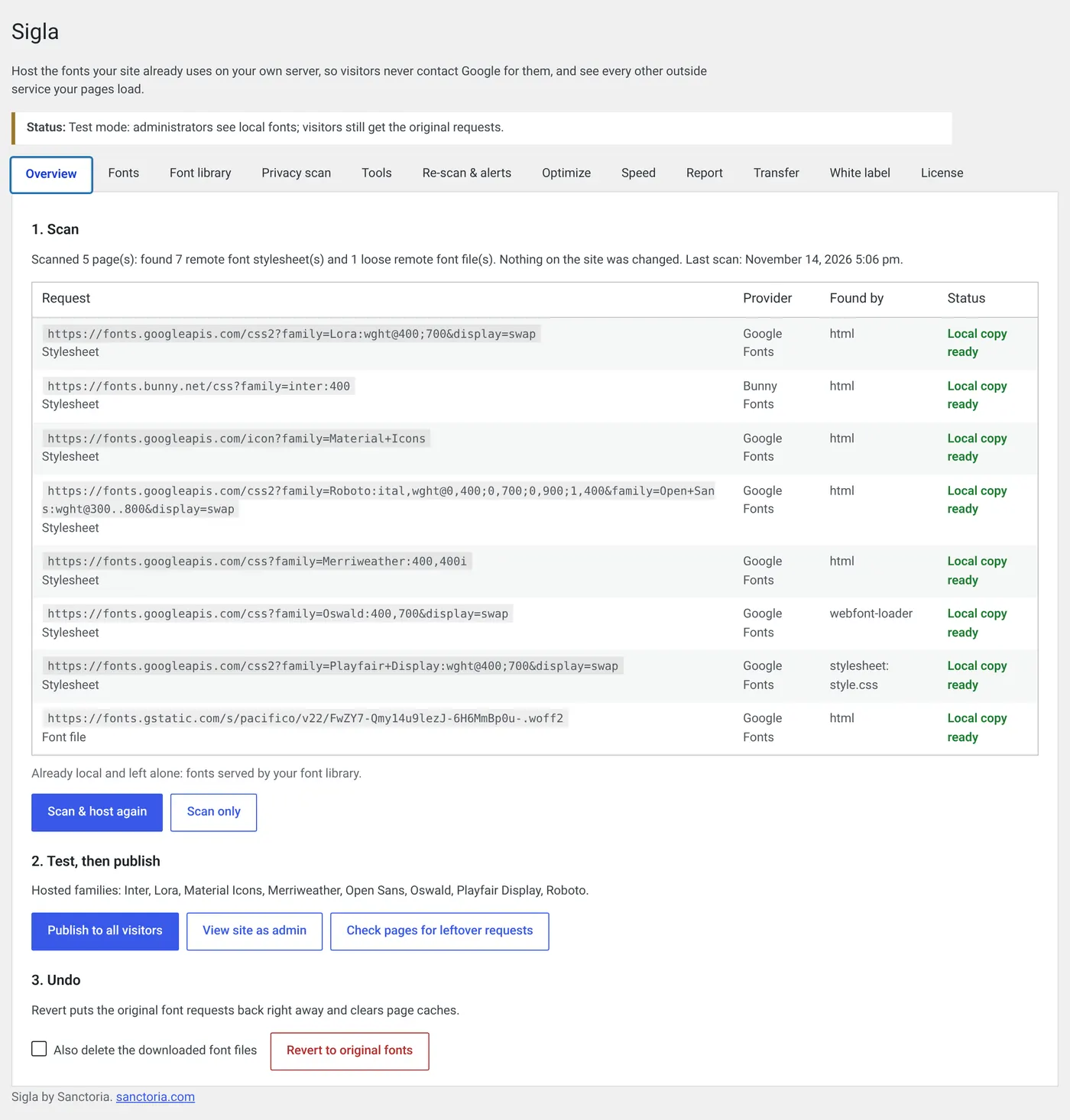
License
Font library
wp-content/uploads/sigla/library/. 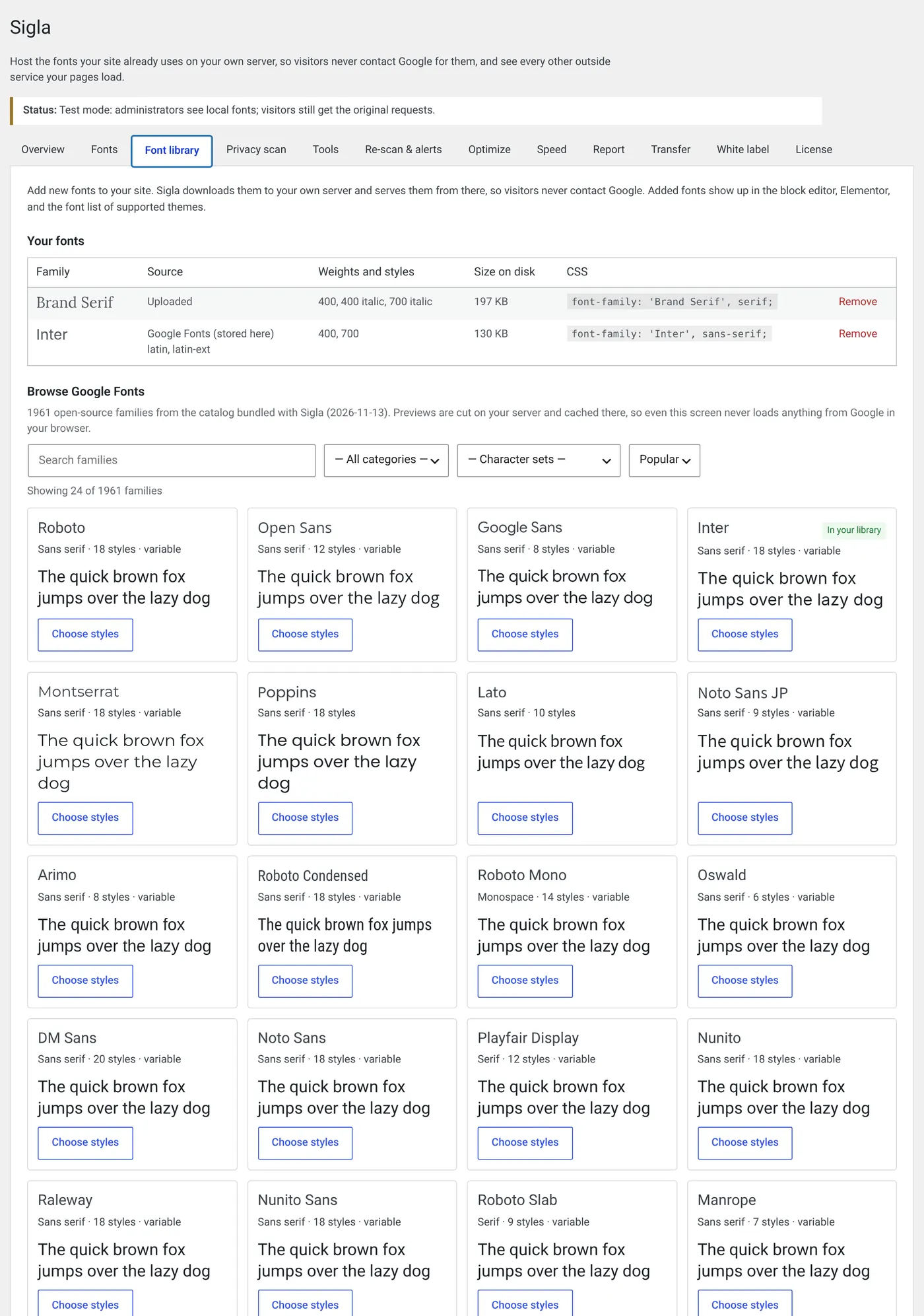
Uploads (Pro)
FAQ
No plugin can promise that. Sigla stops font requests to Google, Bunny and WordPress.com, and the privacy scan lists other services. Confirm your obligations with a legal adviser.
Embedded iframes load their own fonts. Sigla can’t change another site’s page. The privacy scan lists these.
No. Adobe’s license forbids redistributing them. Sigla detects Adobe Fonts and leaves them.
The free plugin sees fonts in the page HTML and in enqueued stylesheets. Fonts imported inside theme or plugin CSS, injected by JavaScript, or icon fonts need Sigla Pro or a theme or plugin setting. Sigla never removes a stylesheet it can’t replace.
Yes. Almost all Google Fonts are SIL OFL or Apache licensed. This is not legal advice.
Changelog
First release.
Sigla free
- Scan, test, Publish and Revert.
- Hosts Google, Bunny and WordPress.com/Jetpack fonts as WOFF2.
- Detection in stylesheets, link tags, @import, @font-face and loose files.
- font-display, preload, unload and subset controls.
- Inventory and Check pages.
- Privacy scan.
- Conflict notices and
SIGLA_DISABLE. - Font library of about 1,960 Google Fonts with local previews (block editor, Elementor, Astra, GeneratePress).
Sigla Pro
- Weekly re-scans and alerts.
- Compliance report.
- Deep detection.
- Subsetting, WOFF2 conversion and unused-weight cleanup.
- Metric-matched fallbacks.
- Measured speed.
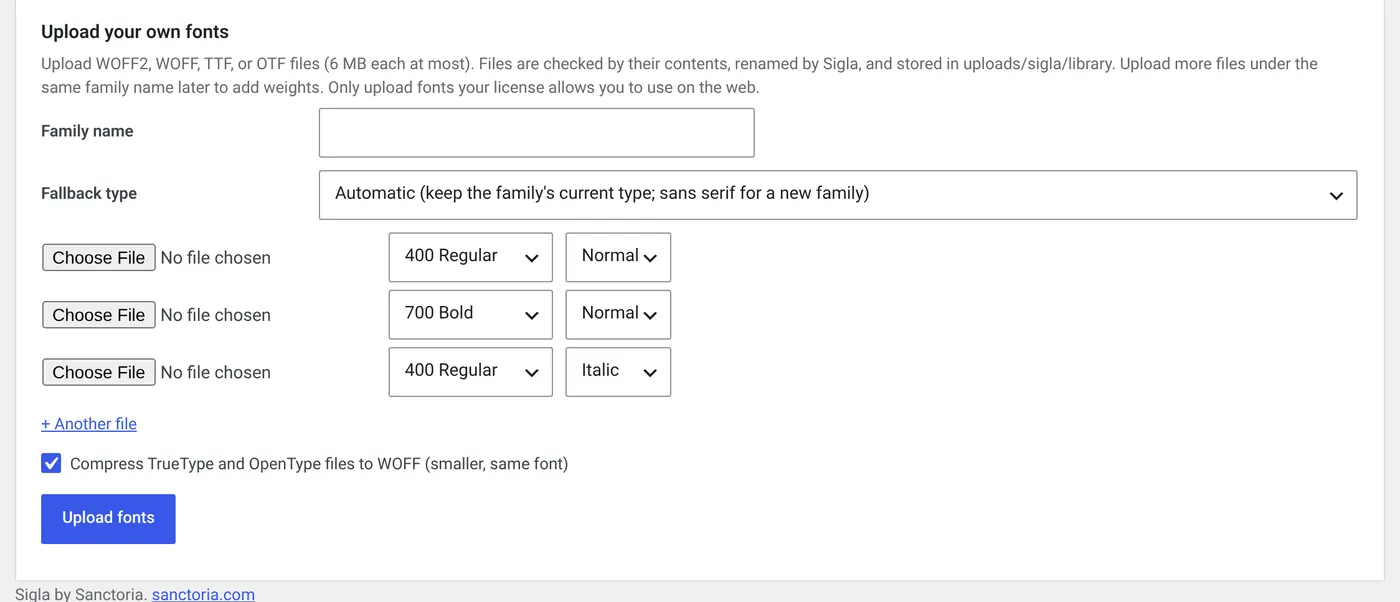
- Custom font uploads.
- White-label, multisite and import/export.
Pro requires a valid license key.